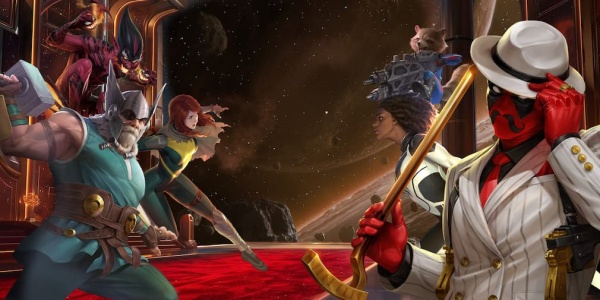
Avengers Origins: Assemble! Review
Avengers Origins: Assemble! is a very enjoyable universal interactive storybook that tells the tale of how The Avengers became a cohesive group after meeting Captain America. I really enjoy how these characters are introduced, making this a great primer for children new to Marvel comics. Interactive moments are included throughout that children will also enjoy such as dragging the tools used by each Avenger to their rightful owner.
I enjoy the back story explaining how Namor the Sub-mariner was originally a hero who has forgotten his good-guy past to later re-emerge as a villain. Much to the Avengers’ surprise, Namor is now being helped by The Incredible Hulk, odd as he fights alongside The Avengers – not against. Readers soon find out that this is all a trick to tire Namor, giving The Hulk a chance to strike, also included as an interactive moment within this book. After the Avengers regroup, it is then that Ant Man sees a body under the water, frozen in a block of ice that readers melt with the drag of a finger, awakening Captain America. The gang still has to deal with Namor and now the armies of Atlantis as well, it is here that Captain America joining in helping The Avengers and becoming a member.
I enjoy this app very much, as does my husband, a loyal Marvel fan as well as my four year old son. The look of the illustrations is very nice, bright and colorful. I am also very happy that the included animated elements look like moving images not fully animated like a cartoon, keeping this app grounded as a cartoon or storybook without venturing too far into being a video which could distract from the reading component of this app.
The interactive elements are fun and well-placed, propelling the story as well as taking part in the action, such as helping The Hulk take a swing at Namor or using the circular drag of a finger to help Captain America swing his shield at the Atlanteans, fighting on the side of The Avengers for the first time and becoming a part of their group.
It goes without saying that the narration by Stan Lee himself is perfectly realized – a favorite element of mine within this book. Music is included as well that is also very nicely done, creating a wonderful sense of drama and suspense.
Parents also have the chance to read this book to their children, and auto play is also included, as is a “young readers mode” which aids in the page turing by including familiar arrows one now touches to continue, as without this mode a tap anywhere on the screen will progress the story, allowing children to flip pages easily by accident. I do wish, however that that page turning was not possible until the narration was complete on each page, as it is still possible to turn a page to early missing parts of this story.
The retelling of this episodic story is nicely simplified and condensed for children to follow easily, yet my husband, who has spent many hours of his youth in comic book stores, enjoyed sharing this book with our son. Although this story contains a lot of action, the fight scenes are demonstrated in a way that is fun and stylized, not violent fashion that could be off-putting to parents.
Although the release of this app coincides with the new Avengers movie, this app does not feel like a tie-in that will be forgotten when the movie is no longer a new release, but it is a very-nice retelling of a classic story that will be enjoyed for a long time to come without ever feeling like an advertisement for licensed merchandise.
Recently, new arcade-style games have been added allowing players to play these games from the point-of-view of the characters from the new movie, The Avengers, including Black Widow – not mentioned in the interactive book. These games are fun and also nicely explain the special powers of each of these super heroes.
I am happy to have shared this application with my son. We have not had a chance to see The Avengers yet, but I look forward to sharing this movie with my son who now knows a little more about this story, adding to the overall richness of the experience.
Avengers Origins: Assemble! is part of a series of Origins apps that also includes Spiderman and The Incredible Hulk. Please check iTunes for more details. I look forward to reviewing Avengers Origins: Hulk soon as well.
A Jazzy Day – Music Education Book for Kids Review
A Jazzy Day is a lovely universal interactive educational storybook that teaches children about the instruments used to play jazz music. Narration is included as well as the ability to read this book by oneself.
Children will enjoy how this app opens up one morning as a daddy cat wakes up his two kitten children early to spend the day learning about jazz, taking a trip to hear Big Band music, meeting musicians and learning about their instruments. The illustrations are cute and include watercolor details that are always appealing. Mild interactive hotspots are also included that will trigger banter and subtle movements from these characters with the tap of a finger.
Soon, the jazz instruments are introduced. I really like the different sections and instruments found here such as the Rhythm or the Bass Section which are articulated with both words, illustrations and animated moments when instruments are tapped, allowing children to see and hear these instruments being played.
I enjoy how animals are used as the musicians such as trumpet-playing dogs, trombone-playing mice or saxophone-playing goats. Really cute details are also included, such as head-nodding or toe-tapping and tail-wagging as the animals perform, really getting into the playing of their music, as well as individual fingers strumming the bass, pressing the keys of a flute or trombone with the chest moving in and out the way one would expect, as well as other charmingly accurate details within these illustrations.
There is a nice interactivity found within this section as children can trigger these animal musicians to play their instruments, but I especially like being able to tap to play the vibraphone – a favorite instrument of mine.
I enjoy how these animals are styled to be very cool as the cat dad wears his red beret to the jazz hall. The other animals wear hip hats or sunglasses or the like, making them look jazzy themselves.
The included instrument sounds are great as well and have been recorded by professional musicians – a nice touch.
Some other sections are included, allowing players to tap to hear the sounds of the instruments as well as to move them around the page and stretch them with their fingers to enlarge them to see details.
I also enjoy the two games: “Find the instruments” where one is asked to find the instrument in question from a page of instruments as well as “Which instrument sounds like this?” where an instrument sound is played that one needs to match to the correct picture. I found these sections nicely done, but I wish it were easier to choose either game because as of now, a tap will bring players to either game rather randomly.
There is also a section that reinforces the names of letters found in these instruments, such as “p” for “piano or “c” for clarinet.
I really appreciate that this app has chosen to focus on jazz music as the other music apps I have seen through iTunes tend to be focused on classical music appreciation instead. For this reason and more, I can easily recommend Jazzy Day for toddlers and the preschool set.
GazziliPuzzles Review
GazziliPuzzles is a very nice universal jigsaw puzzle app that includes a simple and sweet animated scene after each puzzle is completed, really bringing these jigsaws to life in a way that kids will very much enjoy.
This bright and colorful app includes six puzzles that range in the number of pieces from six to twenty, also including the rotation of pieces in the upper levels.
Children will enjoy the topics covered within this app such as a cowboy scene as well as train, skateboard, sledding, water ski and sea park motifs.
Intuitive to use, after a theme is chosen and players are brought to an individual puzzle to be worked on. Arrange the included pieces found at the bottom of the page into their correct places by dragging and dropping these pieces over the correlating area of the faint image used as a reference drawing in the background of these puzzles.
Although a subtle feeling of “grab” is included – slightly pulling the pieces into their correct location as if by magnetism – an interesting feature of this app is the ability to move pieces around the page without making a specific correct placement or mistake. This inclusion of being able to move the pieces around the puzzle board creates an experience much akin to putting together a real jigsaw puzzle – an aspect that I appreciate as oftentimes puzzles leave little room for mistakes to be made as often puzzles reject the wrong placement of pieces – unfortunate because these mistakes are great opportunities to learn from.
The most difficult three puzzles include a heavy use of rotated pieces that one must identify and rotate with a tap until the correct piece is right side up and ready to be added to the puzzle with the drag of a finger. I like the inclusion of the rotated pieces, making these puzzles a little more challenging than without.
When a puzzle is complete and the animated scene has stopped, players are brought to a bonus puzzle that when complete, becomes an object found within the Gazzili Fun Page – a reward that children add to each time a puzzle is solved. This Fun Page provides a nice level of motivation to complete each puzzle, adding the missing shapes until complete.
The elements found throughout such as the illustrations used, the included puzzle play and the added interactive hotspots one can find when tapping the included characters really make this app a high quality one that I enjoy and can easily recommend to families.
It would be nice, however, if more puzzles can be added in the future as these six puzzles, nicely done as they are, may be of limited replay value over a long period of time. I hope more puzzles can be included in a free download in the future.
GazziliPuzzles is actually a series of apps from GazziliWorld I have enjoyed as well, as I especially appreciate the use of these colorful characters appearing in these apps – a real treat for children and adults alike. I am interested to see what apps GazziliWorld comes up with next.
Trucks HD – by Duck Duck Moose Review
Trucks HD – by Duck Duck Moose is a charming new app that allows children to explore five truck-related sections. As is the case with other Duck Duck Moose apps, Trucks is bright and colorful, with fun, playful characters hidden throughout that will react with a tap in various cute ways that children will enjoy, as well as including the classical instrumentals of children’s rhymes that Duck Duck Moose are well known. An iPhone version of this app is also available.
My son’s personal favorite area of this app is the car wash where he can ride a car back and forth through a mud puddle, then drive the vehicle to the next screen into a car wash and engage the different rollers, sprayers and an air blower as one drags their car through the car wash.
Although I appreciate that like within a real car wash where driving in reverse is not an option, my son would like to have the ability to of drag his car back and forth between these different stations to re-wet his car, allowing him to use the blower over and over again.
Fixing a tire is also focused on here, as one section allows players to choose a sharp object that a car rolls over onto causing a flat that will be fixed in the next scene. I enjoy how the selection of implements are random, changing as one may go back to this section, with fun choices including a fork, open safety pin or a hedgehog.
Currently, only one item can be chosen to flatten one’s tires. It would be nice if players could choose any and all sharp items to puncture their tires, just for fun.
After the tires are damaged, a tow truck takes the car to the next page. Nice interactive moments exist here like disconnecting the truck from the car or lifting the car up onto hydraulics with either the drag of a finger or tapping the up and down arrows of a control pad. A tap will bring players to a page of tire selections to chose from. Another tap adds these new tires to one’s car. Although we have heard no complaints from my son, my husband and I would love to change the car’s paint job, basic model and other elements as well, fully realizing all that could be included within a garage-themed scene, even if it is not directly related to fixing a car’s flat tire.
My son has also really enjoys the sorting game of compost recycling and garbage where he cleans the mess off a street, sorting items into the correct containers, such as produce, empty food jars and fun garbage such as underpants, a shoe or a garden hose.
Later, tap on the correlating can of the truck that is here for their pick, and the truck will then back up, allowing the monkey worker to empty the correct bin into their truck and drive off. I enjoy this section as well as this allows children to learn how to sort their waste into the correct bin at home.
A parade is also offered which includes cars, trucks, construction and emergency vehicles. Do notice the stoplight to the right of the screen where children can tap the red, yellow and green lights as doing so will stop, slow down or allow the procession to keep moving. I like how when applicable, the sirens and other sounds these cars and trucks make can be heard as well as seen when tapped, such as is the case for the cement mixer and road sweeper.
Another fun detail here is the ability to stop a car with a finger, causing the vehicle behind to crash into the car – a fun inclusion that I wish were allowed with all the vehicles.
A construction section is also included where players get to interact with a front loader and dump truck, filling and dumping piles of dirt or sand.
At first glance at this lovely and fun app, I assumed that the target audience would be the same as their earlier toddler apps such as Wheels on the Bus or Old MacDonald, yet I must tell readers that my four year old son does enjoy this app a great deal, as we had a hard time retrieving the iPad away from him while exploring this application.
I have been a fan of Duck Duck Moose from their first apps, both toddler and educational. After tackling such subjects as math, reading, puzzles and music, I have wondered what would be next from these prolific developers. I am happy to see their interest in developing open-ended applications as well. I am very interested to see what Duck Duck Moose comes up with next.
Color Dots Review
Color Dots is a bright and fun universal application that the youngest of app users will enjoy. Color Dots is very simple and is geared towards babies and toddlers as colored dots are popped with a tap of a finger as they move around the screen.
At first, a single dot is to be popped. When this is done, the screen color changes and two more appear, then three, and so forth. I can imagine that the bright colors and simple cause-and-effect would be very engaging for babies.
I appreciate how one can change the size and speed of these dots, making this game surprisingly challenging even for adults on the smallest, fastest settings, allowing parents to slowly increase difficulty for their children as their tracking and hand-eye coordination improve with age. Other options include whether to include vibration, popping or musical note sounds, or to make this a silent game. I personally find the musical notes very relaxing and enjoyable to listen to and interact with. One can also control the number of dots found in use as well including a border of these dots, creating nice effect that I personally enjoy.
It is also worth noting that this app, as well as the other apps within the library of other Ellie’s Games, are thought highly of by families with special needs children for their simple, engaging game play.
There are many apps in iTunes that are designed for babies and toddlers. It is easy to recommend Color Dots for the use of brilliant colors, relaxing sounds, and simple interactive elements.
Secret Agent Splat’s Mission Review
Secret Agent Splat’s Mission is a fun game app based on the best selling children’s book, Secret Agent Splat, part of a larger series of Splat the Cat books.
It is worth noting upfront that this app is not a thorough re-telling of the original book, yet this app is a very appealing companion piece to the children’s story which includes three fun action-packed games (a fourth to be included in a future update).
It may be helpful to tell readers that the tale of Secret Agent Splat is about Splat the Cat who is on the case when the toy ducks his dad makes have been stolen, then to be brought back with missing beaks. Fun spy gadgets are used to track down who Splat thinks is taking the ducks. It is here that the tone of this book changes as the real culprit is discovered who meant no harm, this story ending with a warm and happy ending.
A brief retelling of the beginning of this story is offered as a set-up for the included games – a slight disappointment as I think this story as a whole would make a wonderful storybook app in its own right. This, combined with the included narration being excellent, bringing a lot of suspense for this mystery of sorts, and including the wonderful illustration from the book all which add up to create the promise of a great children’s application. This is not a flaw of the app itself, really, as it is the reader who may have different expectations from what this app has to offer.
I do think this application will be a huge hit with families familiar with this series of Splat the Cat books, now allowing children to help Splat get his ducks back as well as ducks for their own personal collection every time they succeed at a mission.
Seymour’s Impossible Mission stars Seymour, Splat’s mouse friend, as he is lowered into a shaft of some sort looking for the ducks to be found at the bottom. Tilt the iPad to avoid obstacles on the way down.
B-B-B-Boing is an arcade-style game – a variation of Wack-a-Mole where one uses Splat’s secret gizmo, introduced in the book to tap the ducks that pop up from holes in a grass-covered hill. Do avoid hitting Seymour as he pops up from these holes as well. My son laughed out loud when he was the secret gizmo included from the book – a nice touch kids will get a kick out of.
Ducks in the Dark is a variation on a classic memory game where one must use his flashlight to turn over cards in order to make pairs.
Children will enjoy collecting these colorful, whimsical ducks stored together in a personal duck collection, complete with empty spaces and name tags waiting for these ducks to be found, each with a human name associated with these empty spaces – a detail that I think it very cute.
Each of these games includes ten levels of increasing difficulty, and solving each of these levels allows one to achieve a higher rank from “Spy in Training” to “Master Spy,” ultimately becoming a “Super Secret Agent.”
The number of levels included within these three games is impressive, and the look of this app is great with bright colors and many whimsical ducks to enjoy collecting. This is a great app for children who are looking for games for the iPad that parents will appreciate for having a tie-in with a great series of books, possibly encouraging them to read these books as well as to play arcade games.
Snowflake Station Review
Snowflake Station in a wonderful craft application for iPad that allows children to cut their own paper snowflakes, teaching the concept of symmetry and other skills along the way.
I have always been a huge fan of paper-cut art since I was old enough to pick up a scissors. My love for paper cutting stems, I am sure, from my lack of ability to draw representationally. Yet here, few cuts to a correctly folded paper ever look mistaken, creating an art form that children and adults who lack certain foundation skills in drawing can fully own themselves.
For me, the process of folding and cutting has been more important than the snowflake or other decorative shapes produced, and I have never been a fan of the cleanup associated with paper-cut art. Because of this, I have really been enjoying Snowflake Station which allows children to work in two basic modes – Workshop, where one traces over lines of dots, creating cuts in the paper or Creation Station – where players work freehand to make their own designs.
Workshop includes an impressive amount of templates that one traces with a finger to create snowflakes in a variety of shapes and levels of intricateness. This would be a wonderful app for those just learning how to connect the dots or for children new to scissors and are able to understand the concept of paper cutting but whose fine motor skills are simply not adequately developed to control scissors well enough to make their own designs just yet – such as my son at four years of age.
It is also a nice touch that the dotted lines one traces fade away, leaving one to to remember the basic line one is cutting in the more sophisticated levels, adding a nice element of memorization as well as pointing out how symmetrical images have been created along the way – a wonderful way to teach this important concept.
My favorite section, however, is the Creation Workshop which allows users to choose a style of folded paper, from the simple folded square sheet folded twice, creating four symmetrical panels, to the more delicate octagonal-shaped snowflakes that, when unfolded, reveal 16 equal sides cut into innumerable possibilities.
The cutting of these snowflakes is nice and intuitive as one drags a finger over the folded paper to cut shapes.
It is worth mentioning that most children are used to using scissors during this activity, but this experience is a little different, allowing easy access to the center of these shapes – something not easy to achieve with a scissors as extra folds would be needed to reach the areas not directly touching an edge of the paper. It is as if here, a knife is being used to cut away shapes that can easily fit into any area one wants to cut – be it the center or sides of the folded paper.
Another interesting element found within this app is the fact that when working with scissors, if one cuts the corner of the paper with a single cut, one would expect the corner to fall away, but here one can fully cut through the page and the cut marks will become negative space without the use of gravity removing the effected pieces, adding to the details one can create with ease. To fully cut away pieces, be sure to lasso the piece in question to remove it completely from the page.
I love the inclusion of an undo button styled like a tape dispenser which allows children to fix mistakes they may have made – wonderful for beginner artists new to making paper art.
I also especially enjoy the use of a preview button shaped like an eye that allows children a sneak peak at their creation – intriguing as it is not really possible to unfold and refold to real paper as the lines would never line up in a way that would allow for re-cutting, making this sneak peak interesting and fun.
Watching the paper slowly unfold is always a magical time be it with real paper or within this app. I especially enjoy how this app demonstrates this as the symmetry created is really showcased – a great lesson that is important to understand as the basis of math, touched upon in more detail within the Workshop section.
Another element hard to re-create with paper is the chance to include eight folds, as the paper gets awfully thick and uneven, especially with the basic paper found around one’s home. Because of this, I am really enjoying working on the selections involving eight paper folds, creating 16 uniform surfaces that I have been excising with use of a stylus, creating details so minute that in real life, the paper one is working on would become so fragile that it would fall apart in one’s hands.
Children will also love the choice of colored paper and glitter to use before or after their creations are cut – nice touches to be sure, as is the ability to change these colors over and over again, experimenting with different shades of paper combined with glitter hues.
I like that saving one’s snowflakes to a gallery is possible as is framing these images against a selection of lovely natural landscapes such as trees during a snowfall.
I prefer, however, the setting to create little snowflakes that then fall from the sky using one’s landscape choice as the background.
Other backdrops include the default choice, which is very nice in its own right – that of a natural wood grain which keeps the focal point of the snowflake itself – or a photo of the players choosing from either the iPad’s camera roll or by taking a new photo.
I really appreciate how a shadow is included within the framing of these snowflakes, adding a very nice realistic detail that I greatly enjoy, as I do the ability to make changes to snowflakes kept in the gallery if one chooses to do so.
Music is included that is easy to listen to that can be muted if one chooses, making this app a wonderful quiet activity. I also like that the included narration offering compliments and encouragement can be turned off as well independently of the music – a nice touch.
I have really enjoyed this application, creating my own snowflakes as well as the tutorials that have taught me new shapes that can be cut into paper art. I have quite the gallery of my own work and will continue to make more snowflakes in the future.
I have noticed that sometimes the cutting is less than smooth – reminding me of cutting with dull scissors – an issue I hope can be looked at in the future, but even these rough cuts look interesting as one watches the paper unfold to see one’s work.
This is an app I highly recommend for children and their adults alike.
It is worth noting that this app has been designed by Chicago-based teacher, Frances Judd, developed to teach children about symmetry, which this app does well.
Another application from Mrs. Judd is Chalk Walk, developed to enable children to work on their pincher grip on the iPad, and it is another app that I look forward to reviewing on GiggleApps soon. I am overall very impressed by Snowflake Station, and I will be on the lookout for any new apps by Frances Judd in the future.
Little Critter Collection #1 Review
Little Critter Collection #1 is a wonderful universal app that, as the title may suggest, contains ten Little Creature applications which adapt previously published stories of the same titles.
Written by Mercer Mayer, a favorite children’s book author from my childhood, I am thrilled that these Little Creature stories have been brought to life in these applications. Even if adults don’t know this series of books by name, the illustrations will be quite recognizable to many. Although not one specific animal, these stories are focus on the day in the life activities of highly anthropomorphic creatures which are a variety of small mammals that, to me, look like hamsters or guinea pigs.
The main character in these books is a little boy, known as Little Critter (later becoming an older brother), who tells these tales of growing up in the first person always in a way that is most identifiable to children, especially those of preschool age. I admire how these stories are written from the point-of-view of this young child, allowing children to deeply empathize with his trials and tribulations as a boy learning about his surroundings.
Titles such as I Was So Mad, When I Get Bigger, I Just Forgot and All By Myself do an excellent job of tackling complex emotions which are wonderfully expressed, making the Little Creature always relatable (although not always in the right) and allowing for wonderful open-ended conversations.
Just Me and My Mom, Just Grandma and Me, and Just for You explore the interpersonal relationships that Little Critter has with the people who love him best – his family.
The New Baby, Me Too and The New Potty are lovely stories about sibling love that are charming and tender as well as honest in their approach to emotions such as jealousy and patience – themes within these stories. They focus on Little Critter and his relationship with his baby sister as she becomes a member of the family, develops into a toddler who wants to do everything her brother does, and meets the universal milestone of potty training.
The illustrations of these stories are simply terrific, as I greatly admire the emotions expressed within the facial expressions of these characters, especially those of Little Critter’s mother as she sometimes has moments of disapproval when seen in the background of these illustrations that adults may appreciate even more than children do.
Like other Oceanhouse Media apps, these apps include narration as well as the ability to read these stories to oneself, and auto play is also an option.
It is worth noting that the narrator who chooses to speak for Little Critter does an excellent job, perfectly realized for this series of stories that could not be more spot-on in expressing the emotions Little Critter experiences, including frustration and even mild repulsion in a way that is pitch-perfect.
Oceanhouse universally does a great job of adapting printed books into apps, panning and zooming into the pages, and recreating the effect of one getting a closer look at the illustrations as this technique draws the attention of readers to specific areas that relate to moments being told within this story. Subtle yet effective sound effects are also at work here and are very nicely done, especially the baby sounds included within The New Baby.
Another element included within each story is the chance to find hidden animals on each page – a detail also found within the original stories themselves.
I honestly purchased the majority of these titles myself when they were first released so I know firsthand how much use my son has gotten from this series, and I am excited to make room on my phone as this app takes the place of the ten other books, with the Little Critter icon so eye-catching that my son’s attention is drawn to it where he otherwise may not have paid attention to it a folder of these apps with such gusto.
I am really glad that Oceanhouse has chosen to create collections that one can purchase instead of developing a “reader” of sorts that creates a specific bookshelf of apps that one must buy within in-app purchases – something that not always a fan of as the main “reader” icon is often not eye-catching enough for my son to become interested in the apps within, and I worry about accidental purchases as well as my son desiring more apps that are basically advertised, as well as the lack of reviews on iTune for the in-app purchases one may be interested in.
Although I know first-hand how great this price is for ten of these apps, I can also appreciate how some families may not be able to purchase an app with such a price tag. Because of this, I am really glad to see that these apps as single purchases are still available for families who may want to add a specific story to their library, possibly without wanting to commit the time needed to download a free “reader” app to then make purchases through.
I have been very pleased to see the apps that the prolific developers from Oceanhouse Media have created based on popular books already in print. They have been on my “To Watch” list from their early days. I can’t wait to see what other titles will be next.
The Wrong Book Review
The Wrong Book is a wonderfully interactive universal storybook adapted from the book of the same name.
The premise of this book is simple, with main character Nicholas Ickle simply trying to introduce this book to readers. This is no easy task, however, as Nicholas is interrupted on every page by an oddball assortment of animals and characters such as a trumpeting elephant, pirates, monsters, a puppet, mice and even a queen, all terrible distractions to Nicholas – much to the great entertainment of readers.
With terrific narration by Australian comic Frank Woodley, this app includes few words per each page but depicts Nicholas’s frustration wonderfully in a way children and adults can relate to and laugh at, reminding me of the quote by W.C. Fields, “Comedy is merely tragedy happening to someone else.”
This app may not be for all families as there is a lot of yelling done on the part of Nicholas, but this does not prevent us from enjoying this whimsical application.
The included interactions are really a lot of fun as one can look for hidden objects that once found fall to the bottom of the page and can be tossed around the screen – be it an anchor compliments of the pirates, peanuts from the elephant, or even monster farts – a detail that we absolutely adore but may be off-putting to some.
Animated moments and sound effects can also be triggered by tapping hidden hotspots which are creative, fun, and rather involved.
My son and I have really enjoyed turning each page to see what is included on the next, and I am happy to announce that this book stands up very nicely to re-reading as well.
Although this book does not pretend to be something other that a creative and fun story for children, the last page of this story always makes me pause for a moment as Nicholas gets the last word in that “My Name is Nicholas Ickle and this book is about …me” as Woodley’s pitch-perfect narration develops a character who, to me, may represent children who don’t feel as if they have a voice, creating a somber moment as the last word “Me” is revealed – a moment I feel each time I read this book.
The format of the book is the appearance of a printed book seen on the screen that opens up to be read. This book-within-a-book style, seen in other applications as well makes and sense especially within this story, but makes all the pages smaller than if the book’s border were not included and the pages took up the entire screen. This is especially true for the iPhone version where the font size is a little small to read but manageable, especially alongside the narration which can also be muted if one so desires. Readers can also make their own recordings as well.
I strongly recommend this app for readers looking for a storybook with a lot of interactions as they truly bring richness to this book without ever being unnecessary distractions.
Dinosaur Train Camera Catch! Review
Dinosaur Train Camera Catch! is a novel interactive game that allows children to practice pattern awareness, based on the popular PBS kids’ show, Dinosaur Train.
This app includes a nice effect of allowing players to look into the screen to see dinosaurs flying – not just around a specific page, but a full 360 degrees around the player as children twist and turn around to see these dinosaurs as they fly. At the top of the screen, one will see a pattern of dinosaurs that needs filling in with other dinosaurs to complete these patterns. To do so, place the correct dinosaur in the camera’s cross hairs and snap a photo with the tap of a finger, completing the pattern.
Eight sections that increase with difficulty are completed before children win a prize that can be downloaded at pbskids.org such as a coloring page which can be printed.
This app will do a nice job of engaging children who enjoy taking photos, and I like that this app allows children to get up and move around a bit while not needing to run off with one’s iPhone. It is also nice that the photos taken are saved in a gallery to be looked at later.
I like the educational component not only of teaching about patterns but the problem-solving that children must consider as the dinosaurs fly around and off screen, encouraging children to turn the correct way to follow them or spin to the other side to capture their image as they fly back around.
It would be nice, however, if the background used within these levels varied somewhat, especially as the ability to see a landscape at 360 degrees is unique within itself. I would love to see more interesting details included – maybe just for fun – that kids can take photos of as well.
Although I enjoy the incorporation of printable extras from pbskids.org, I think kids may feel let down at the delayed gratification they must endure as these pages for the most part will not be printed in that moment – an issue for children whose target age is that of this app, as these children may expect to see something akin to a collectable sticker or a short video clip instead of a code for parents to redeem later.
I also have noticed that although the patterns one works through in these eight levels are nice choices to teach pattern recognition, after these eight levels, one starts back at the beginning of this app to work on the basic levels all over again. I wish there were more levels to experience before starting back at the beginning of this application.
This app has won the dubious distinction of being the first application to make me feel dizzy during game play as players need to turn around – preferably standing – to capture the images of these flying creatures. Children, on the other hand, seem to have a higher tolerance for spinning around in circles. Because of this, however, this app is not a great choice when children are strapped into their car seats, strollers or at other times when moving around is not possible or allowed – an issue my son has faced himself. I would love to see a mode where children can see all the dinosaurs from which to choose from a seated position, possibly being able to look up at the sky or down to the ground to photograph dinosaurs running as well.
Having said this, I do enjoy the unique way one captures dinosaur images to complete these patterns, and I like that kids need to think both about the pattern they are completing as well as lining up these flying creatures in their viewfinders. I think children will get a kick out of this unique photo app, especially those who are fans of this show like my son is, but it would be nice to have some more variety in general within this application.


May 18th, 2012 by Amy Solomon